The Viewer
npx synapse-mindmap viewer --openThe viewer is a local web page that draws every mindmap in your data directory. It updates live while agents work. It only reads the data directory, except for the Sync Git button. Agents don't need it to be running.
Layout
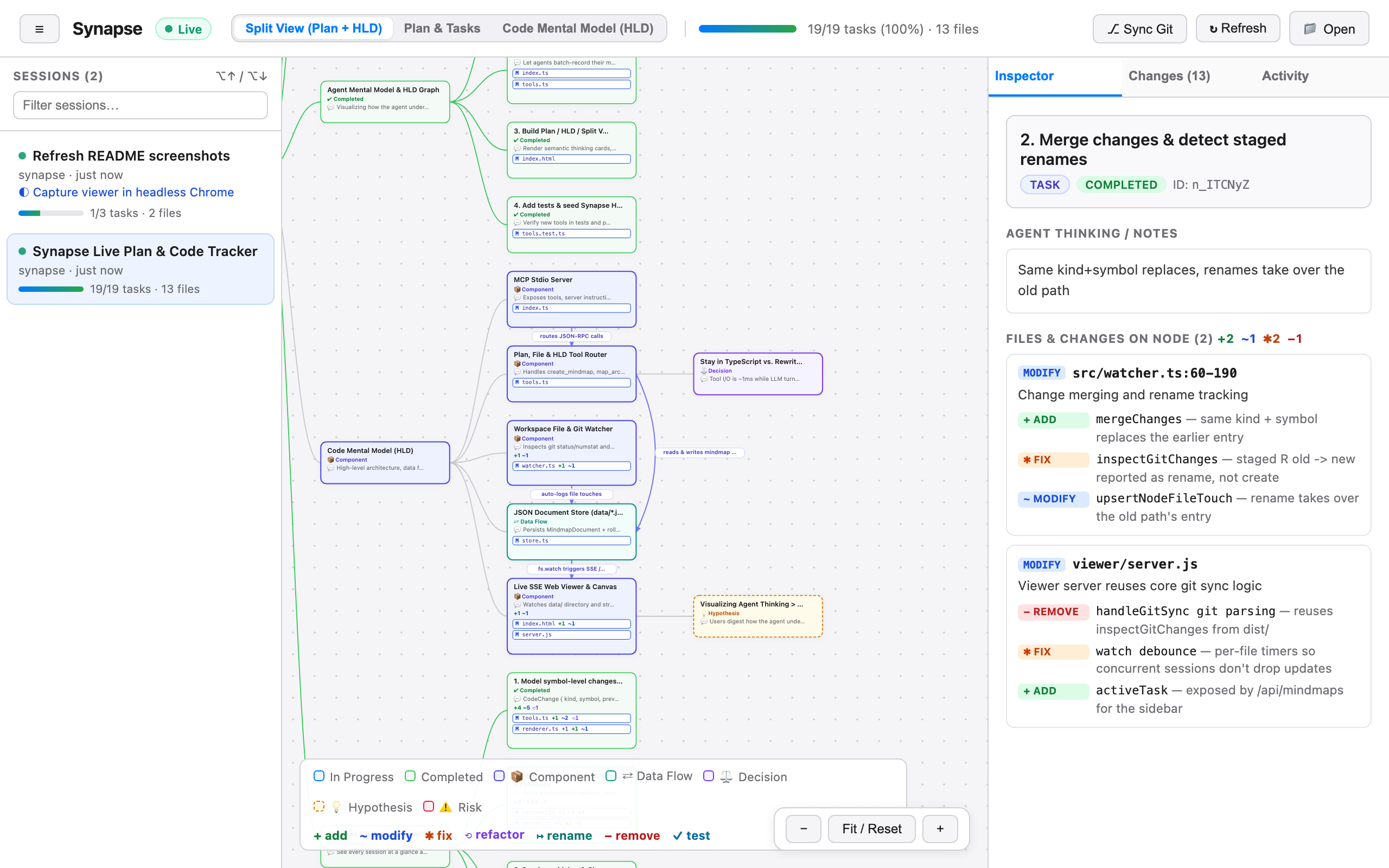
| Area | What it shows |
|---|---|
| Header | The sessions toggle (☰), the Live indicator, the view switcher, the task progress bar, and the Sync Git, Refresh, and Open buttons |
| Left: Sessions | Every mindmap, most recently updated first |
| Center: canvas | The plan tree and/or the code mental model |
| Right: sidebar | The Inspector, Changes, and Activity tabs |
Sessions
Each mindmap is a session. Each row in the sidebar shows the title, workspace path, active task, progress (completed/total tasks), number of files touched, and when it was last updated.
- Live dot: shown on sessions updated in the last 2 minutes.
- Filter: type in the box to narrow the list.
- ⌥ ↑ / ⌥ ↓ (Alt on Windows and Linux): switch to the previous or next session in the filtered list.
- Links: the URL hash holds the session ID, for example
http://localhost:4040/#mm_Ab12Cd34. Bookmark or share it to open that session directly. - ☰ collapses the sidebar. The viewer remembers this setting.
When an agent updates a session you aren't viewing, only the session list refreshes. The canvas keeps showing the session you picked.
Views
Use the view switcher in the header to pick what the canvas shows:
| View | Shows |
|---|---|
| Split View (Plan + HLD) | The plan tree and the code mental model side by side |
| Plan & Tasks | Only the plan: tasks, their statuses, and the files attached to them |
| Code Mental Model (HLD) | Only the architecture branch: components, data flows, decisions, hypotheses, and risks, with their labeled flow links |
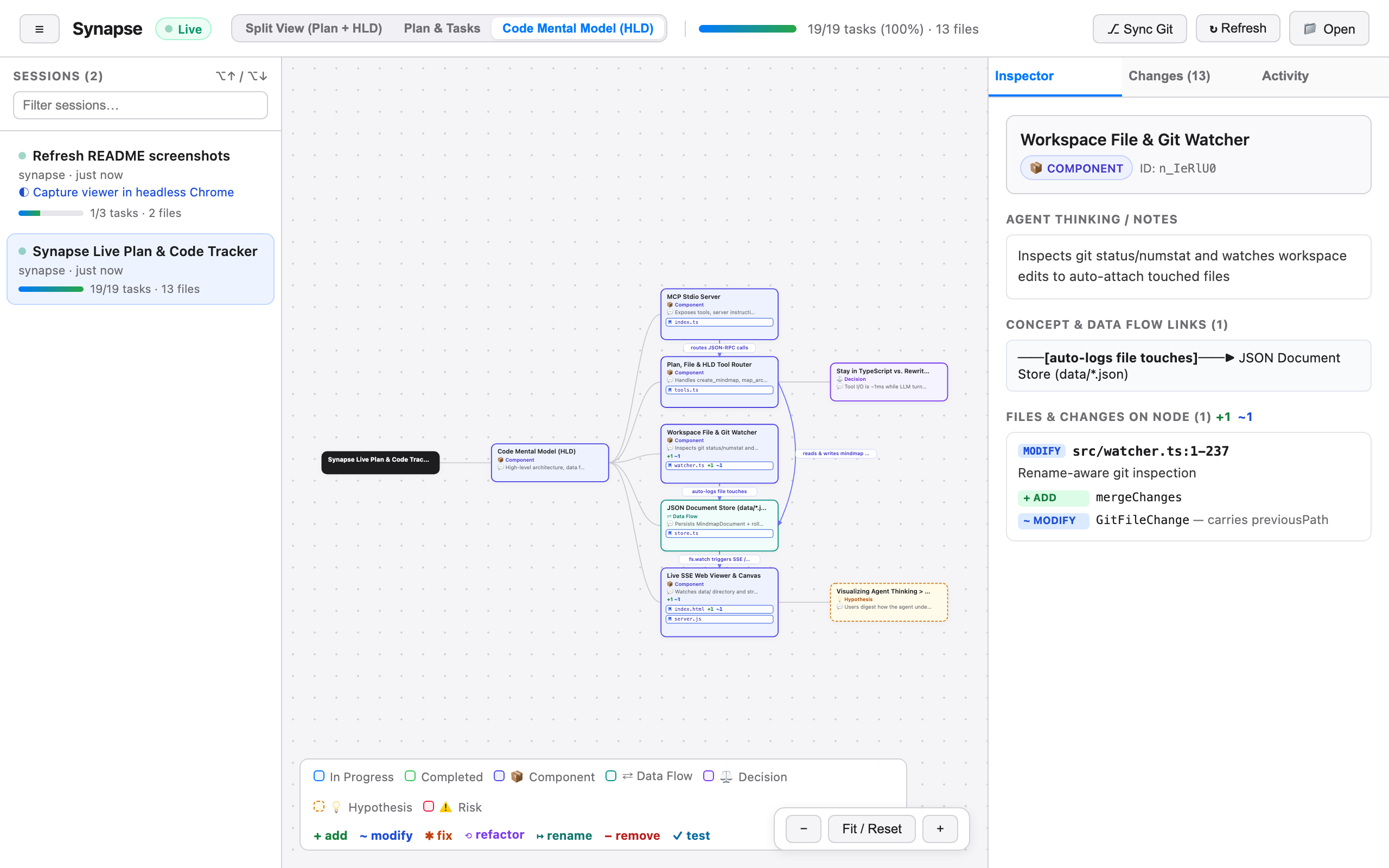
Node cards are colored by status (in progress, completed) or by concept type (component, data flow, decision, hypothesis, risk). See the legend at the bottom of the canvas. Cards with logged changes show a tally such as +2 ✱1 ⟲1.
Drag to pan and scroll to zoom. Use the − / Fit / Reset / + controls at the bottom right.
Inspector
Click a node to inspect it. The Inspector shows:
- The label, type, status, and node ID. Agents use the ID in tool calls, so it's handy when you want to point the agent at a node.
- Agent Thinking / Notes: the node's
notes. - Concept & Data Flow Links: incoming and outgoing arrows with their labels. Click a link to jump to the node at the other end.
- Files & Changes on Node: every file attached to the node, with its action, line range, summary, and symbol-level changes.
Changes tab
The Changes tab lists every file in the session:
- Changed Files, newest first. Each file shows its action (
create,modify,rename,delete), its change rows, and the nodes it was logged on ("via"). - Read for Context: files the agent only read.
Filter chips at the top (All, + Added, ~ Modified, ✱ Fixed, ⟲ Refactored, ↦ Renamed, − Removed, ✓ Tested) narrow the list to one kind of change. The selected kind is also highlighted on the canvas, so you can see at a glance which tasks and components contain, for example, fixes. Click a file to highlight every node that touched it. Click it again to clear the highlight.
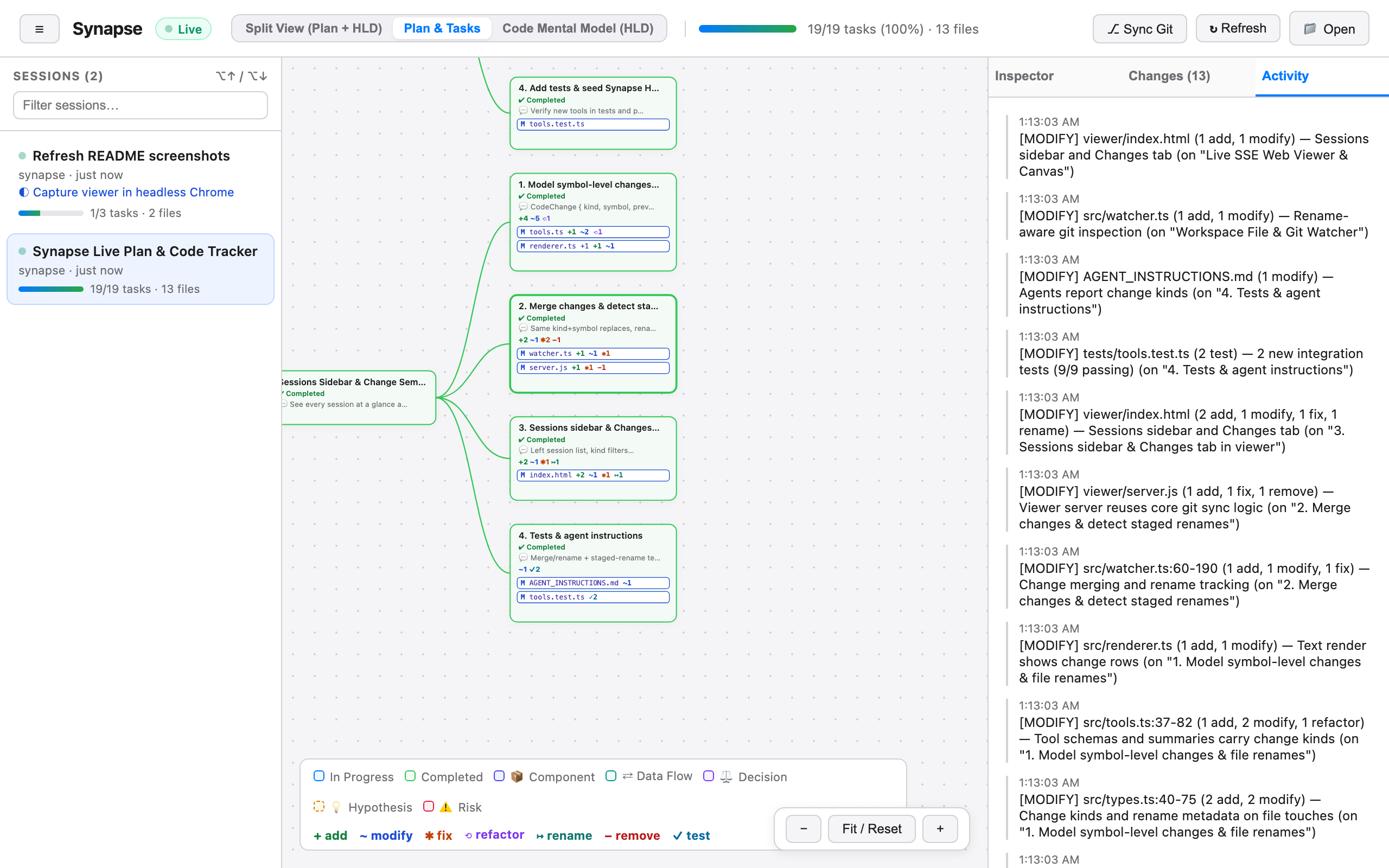
Activity tab
The Activity tab is a timeline of everything that happened in the session, newest first: mindmap creation, plan status changes, HLD mappings, links, file touches with change tallies, and git syncs. Each session keeps its latest 100 entries.
Sync Git
⎇ Sync Git reads git status and git diff in the session's workspace and attaches every uncommitted change to the active task. This is the same as the agent calling sync_git_status. Use it when the agent edited files without logging them. It only works for sessions that have a workspacePath, which the agent sets in create_mindmap. For other sessions, nothing is synced. See How It Works → Git sync for details.
Other buttons
- ↻ Refresh reloads the session list and the current mindmap. You rarely need it because updates arrive live.
- 📁 Open loads a mindmap JSON file from disk to view it. The file isn't copied into the data directory.
The Live pill in the header changes to Reconnecting… if the viewer loses its connection to the viewer server.
Ports
The viewer listens on port 4040 by default. If 4040 is taken, it tries the next 20 ports, then lets the operating system pick a free one, and prints the URL it chose. A port counts as taken if anything answers on 127.0.0.1 or ::1. If you set the port with --port <n> or SYNAPSE_PORT, the viewer uses exactly that port and exits with port N is already in use if it's busy:
npx synapse-mindmap viewer --port 5050
SYNAPSE_PORT=5050 npx synapse-mindmap viewer
Security
The viewer is for local use only:
- It binds to
127.0.0.1, so other machines can't connect to it. - It answers only requests addressed to
localhost,127.0.0.1, or[::1]on its own port, and returns403for any otherHost. This blocks DNS-rebinding attacks. - Sync Git, its only write action, requires a JSON request from the viewer's own origin, so other websites can't trigger it.